

Reports / 5 min
Review quantities and export to Excel
Review what is saved, resolve missing inputs, then carry the quantities into your estimate.
Example project: Cedar Pavilion. Fictional drawings, actual product interface. Tutorial steps describe the intended workflow; complete project acceptance remains under review.
Check project save
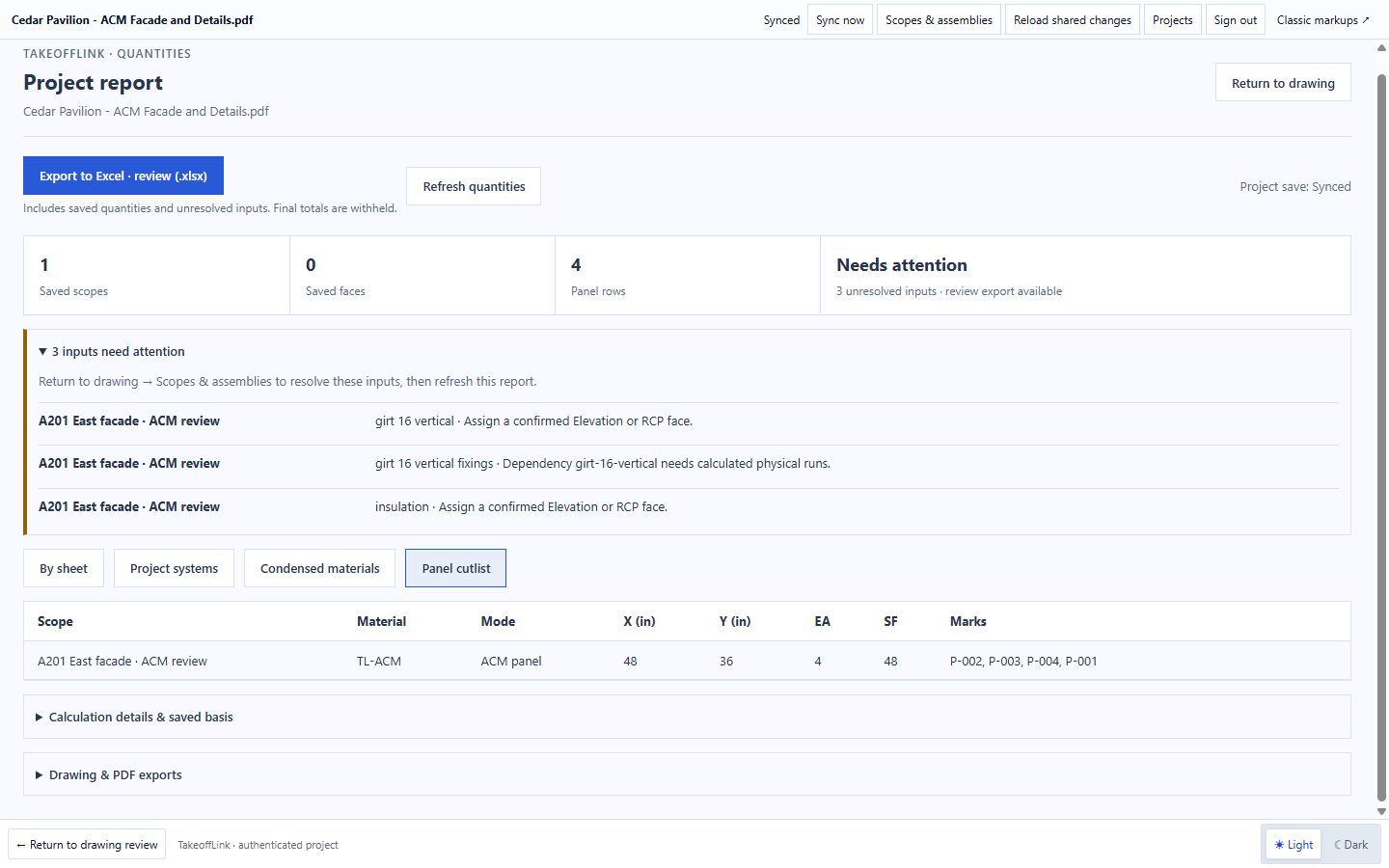
Look for Synced to confirm a server acknowledgement. Saved on this device identifies local saved work, not server confirmation.
Open Report
Review By sheet, Project systems, Condensed materials and Panel cutlist. Check material assignments, marks, dimensions and calculation basis.
Resolve missing inputs
Return to Scopes & assemblies to address unresolved sources, face geometry or stale records. Refresh the report afterward. Final totals are withheld while connected inputs are unresolved.
Export and review
The deployed report exports final Excel quantities when the report is complete. The new review-workbook option is a candidate update: it exports validated saved rows and an issue list, clearly labeled REVIEW ONLY, while omitting final project totals. Prices, labor and equipment belong in your estimating workbook.
The workbook status, drawing revision and quantity basis are clear. Review quantities are not presented as ordering approval.